
Research with Yila,inside your AI agent
Connect Codex, Claude Code or WorkBuddy to Yila to draw scientific figures you can keep editing, search and check literature in English and Chinese, and hand a whole review, deck or poster to Yila. It uses your own Yila account and credits. No API key.
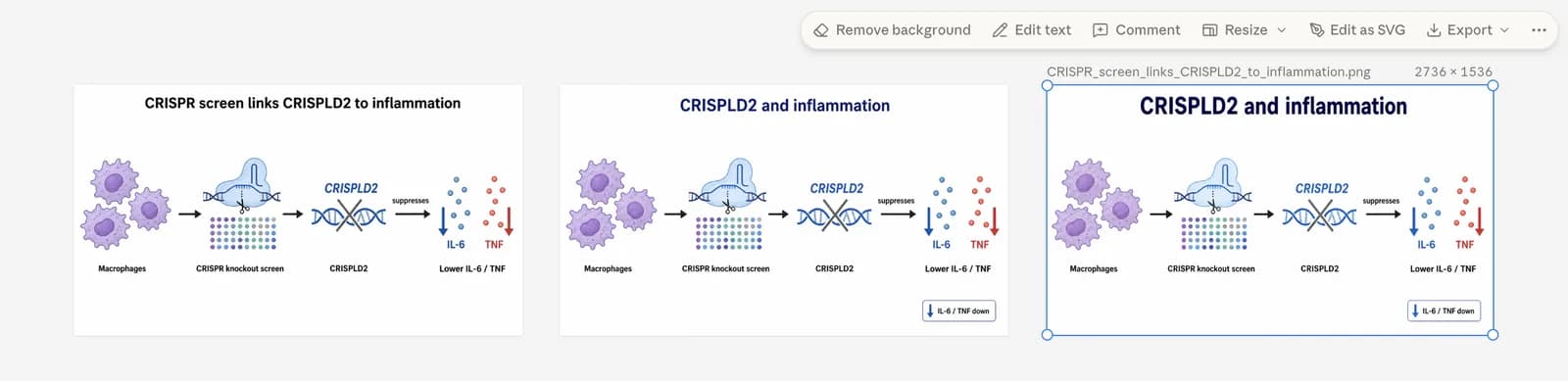
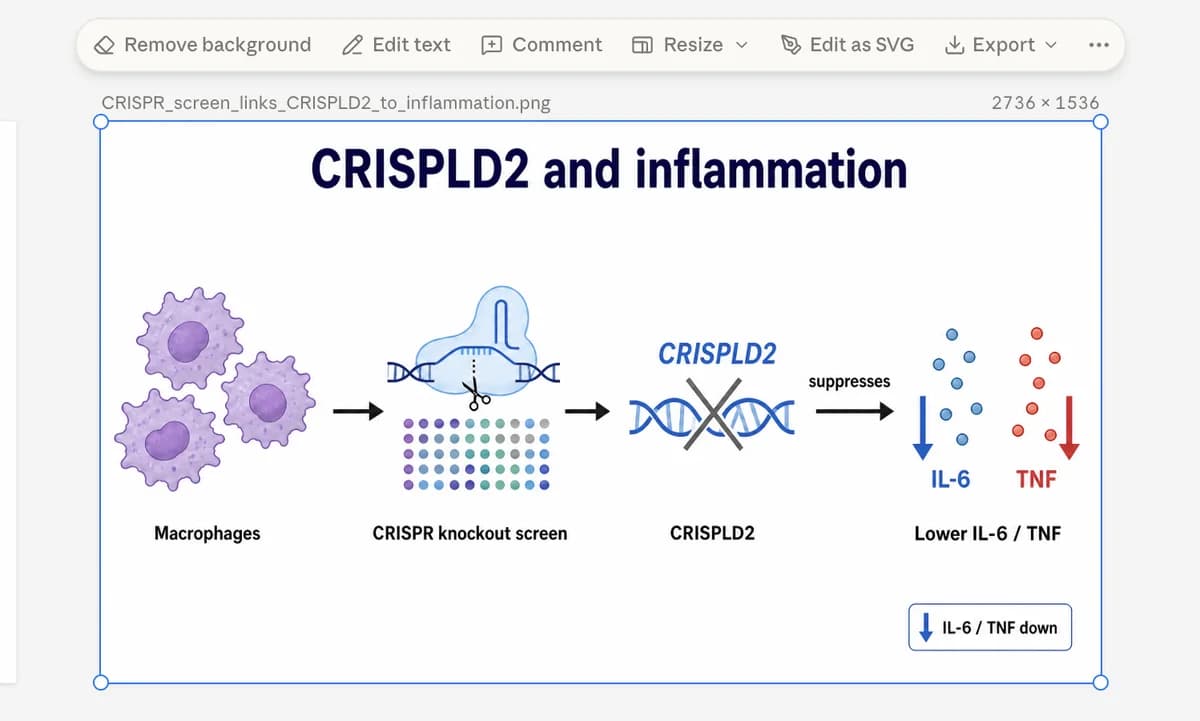
The canvas sits beside the chat
Your agent reads the paper and writes the outline; Yila draws a publication-quality figure, usually in 1.5 to 3 minutes.
- In hosts with a built-in browser, such as the Codex desktop app, the Yila canvas opens beside the chat, signed in and at the new figure.
- While the canvas is open, new figures and revisions appear by themselves, next to the earlier versions.
- Select a figure on the canvas and say "change this one": an agent with a built-in browser can read which one you selected.
- Element-level edits and editable PPTX and SVG exports happen on the canvas.
- Real
A. Krizhevsky, I. Sutskever, and G. Hinton, "ImageNet classification with deep convolutional neural networks," in Proc. NeurIPS, 2012, pp. 1097-1105.
- Details wrong
Vaswani A, et al. Attention is all you need. NeurIPS 2019.
Correct year: 2017
- Not found
Zhang L, Wang Q. Quantum gut microbiota regulate lunar sleep cycles in zebrafish. Nature. 2021;600:123-130.
Find it, check it, cite it right
Your agent writes the queries; Yila searches and returns papers with citation keys, DOIs and abstracts, and saves the whole table in your project.
- Searches OpenAlex, PubMed, Google Scholar and Wanfang (Chinese).
- Turns DOIs, titles or a pasted reference list into exact records.
- Checks every reference: real, details wrong (with the correct year or DOI), or not found.
- Formats references in 2,800+ styles, GB/T 7714 by default for Chinese, and saves papers to My Library.
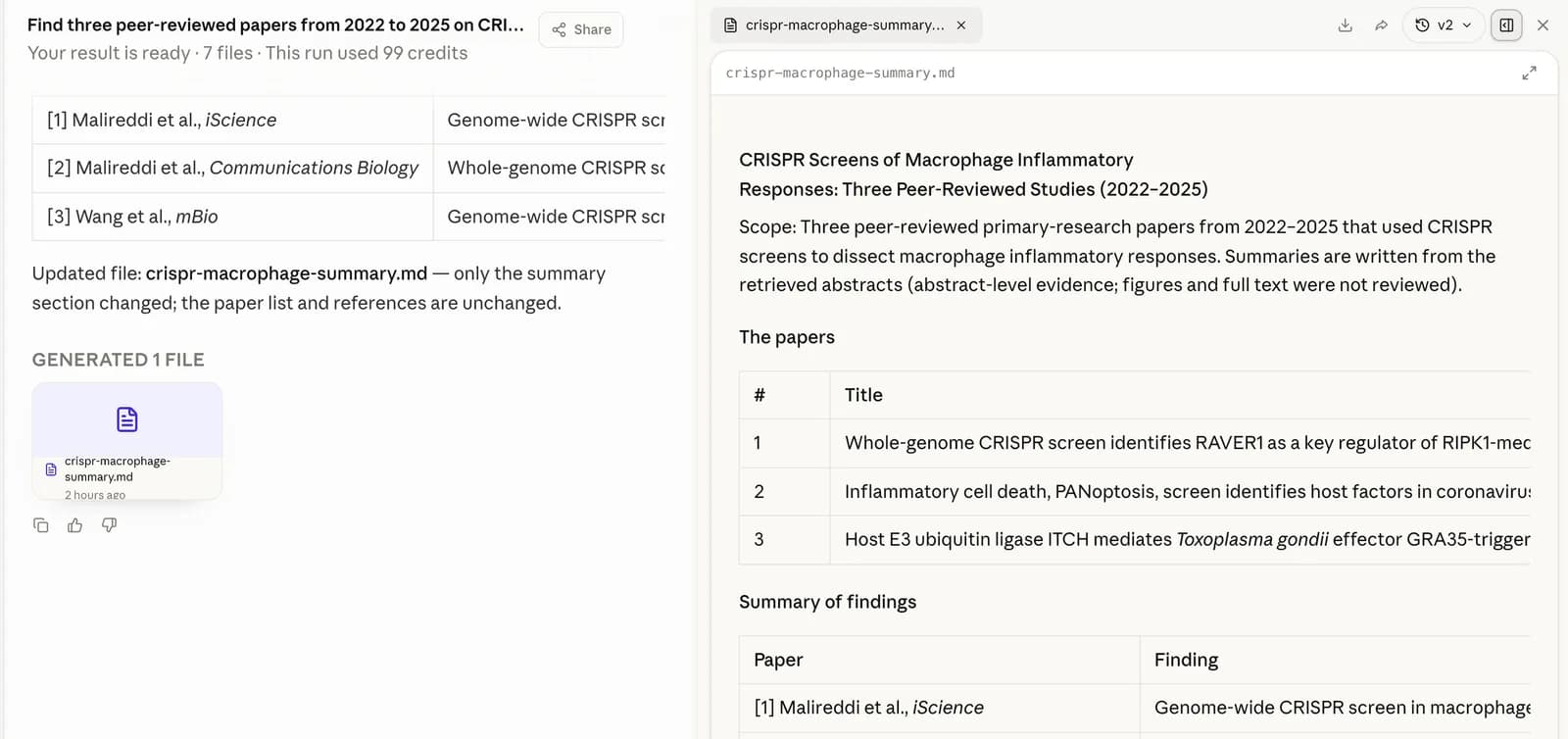
Hand the whole job to Yila
A deep literature search, a review with real citations, a slide deck, an academic poster, a data analysis: Yila's own research agent runs it in your Yila account and hands its answer and files back to your agent.
- You set a credit cap; the task is charged by actual usage and pauses at the cap.
- The task appears in your task list on the website, ready to open anytime.
- Keep going afterwards: shorter, another format, the next step.
Install
Pick your agent, copy the commands and run them.
https://yila.ai/api/mcp
/goal Read https://github.com/Yila-AI/yila-plugins/blob/main/AGENTS.md to install Yila for Codex and set up a new task that runs its default connection prompt.
codex plugin marketplace add Yila-AI/yila-plugins
codex plugin add yila@yila-plugins
codex mcp add yila --url https://yila.ai/api/mcp
First use
Your browser opens Yila's sign-in and authorization page: check the account and select Allow. You never give your agent a password or an API key.
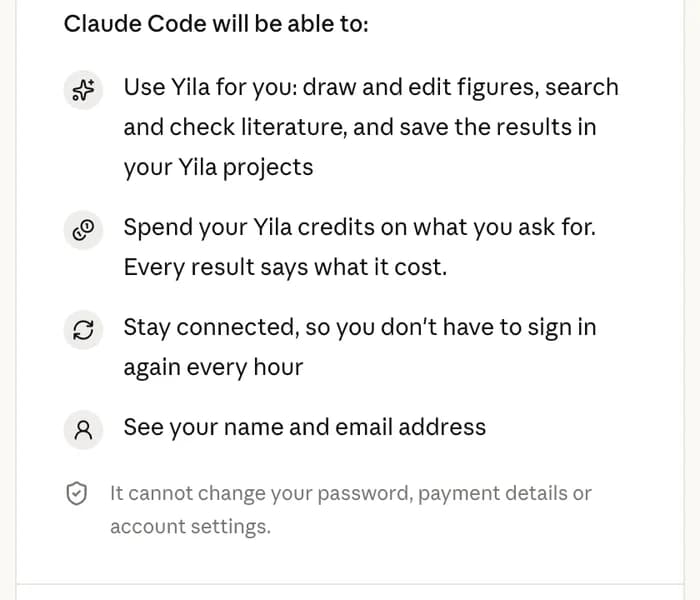
Codex is the most thoroughly tested so far; cloud-connected clients such as Claude on the web and ChatGPT have not been tested yet.
Credits
Reading papers, understanding your request and writing the outline use your own agent's quota. Yila charges Yila credits only for the results below, and every result says what it charged.
- A figure or a revision
- Usually 300, charged once it is saved
- A literature search
- 30 per source that returns papers
- Reference check
- 10 per reference
- A task handed to Yila
- Actual usage, never above your cap
- Lookup, formatting, library, notes, opening the canvas
- Free
The same request is never charged twice; failed or cancelled jobs charge nothing.
See it and stop it, anytime
In Settings → Connected agents on the Yila website you can see what each agent spent in the last 30 days and disconnect it with one click.

Questions
Do I need an API key?
No. On first use, sign in to Yila in your browser and select Allow.
Can Yila see the files on my computer?
No. Yila only receives what your agent sends it, such as a figure outline, search queries or references.
Where are my figures and search results kept?
In your own Yila account, ready to view and continue on the website.
Which agents work?
Codex is fully tested. Claude Code, WorkBuddy and other clients that support remote MCP connect to the same address, and we are still checking them one by one during the beta; cloud clients such as Claude on the web and ChatGPT are not tested yet.
Will it change during the beta?
Features and prices may change weekly. Report problems in the feedback group or open an issue on GitHub.
Try it in your agent now
A few minutes to install, with your own Yila account.